.png)


For about a year, my entire LinkedIn strategy was a feeling.
I would open the app, stare at the empty box, wait for inspiration, and post whatever showed up. Some days it worked. Most days it did not. The problem was never effort. It was that I had no system underneath the effort.
So in 2026 I did the obvious thing. I sat down with Claude and built a LinkedIn content engine from scratch. Not a folder of saved drafts. An actual engine that knows my voice, my positioning, and my GTM angle, and turns a rough idea into a finished post.
Here is exactly how I did it, start to finish, so you can copy the whole thing.
What A LinkedIn Content Engine Actually Is?
Let us get the concept straight first, because the name sounds fancier than the idea.
A linkedIn content engine is not a tool. It is a system with three layers.
→ A brain that holds who you are, what you sell or what you do, and how you sound.
→ A set of skills that define how a post actually gets written.
→ An output folder where every finished post lands.
That is it.
Most people only ever build the third layer, which becomes a quiet graveyard of half-written drafts. The real magic lives in the first two. Get the brain right, and every post starts to feel like a deliberate GTM move instead of a random update.
Step 1: I brainstormed the blueprint with Claude
I did not start in code. I started in a normal chat.
I told Claude my rough idea and asked it to interview me.
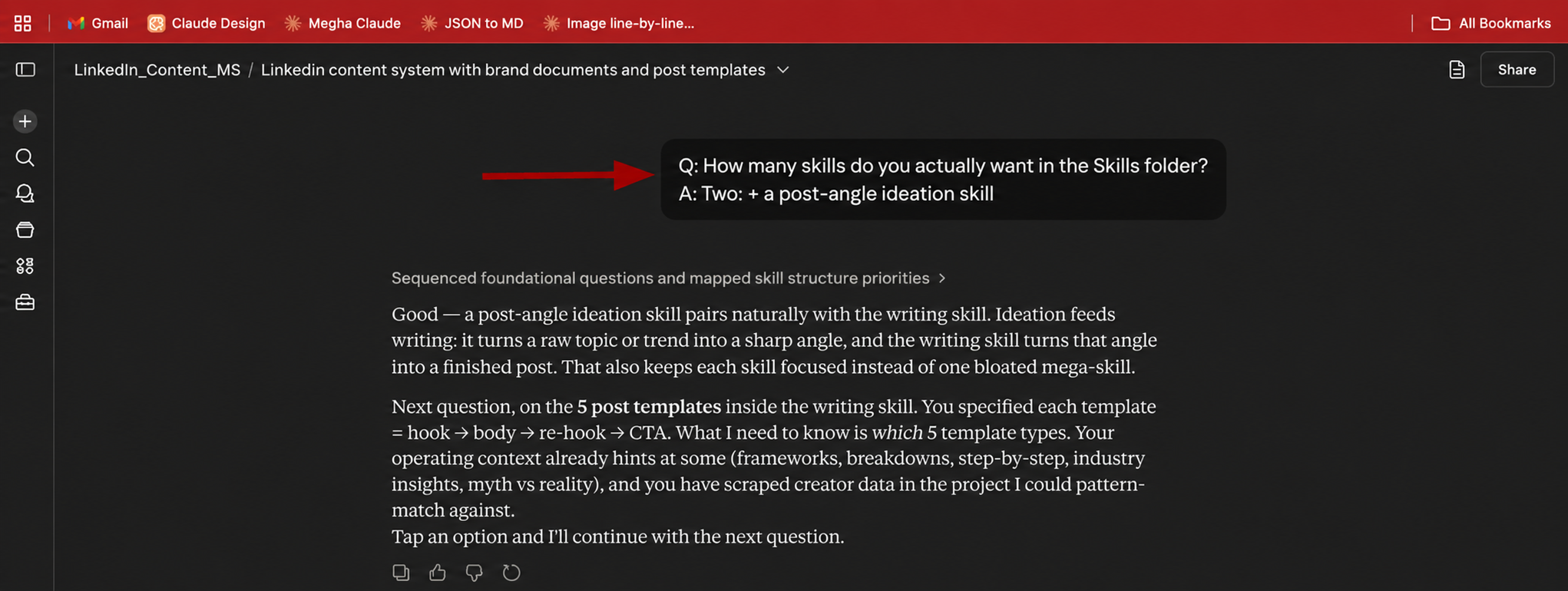
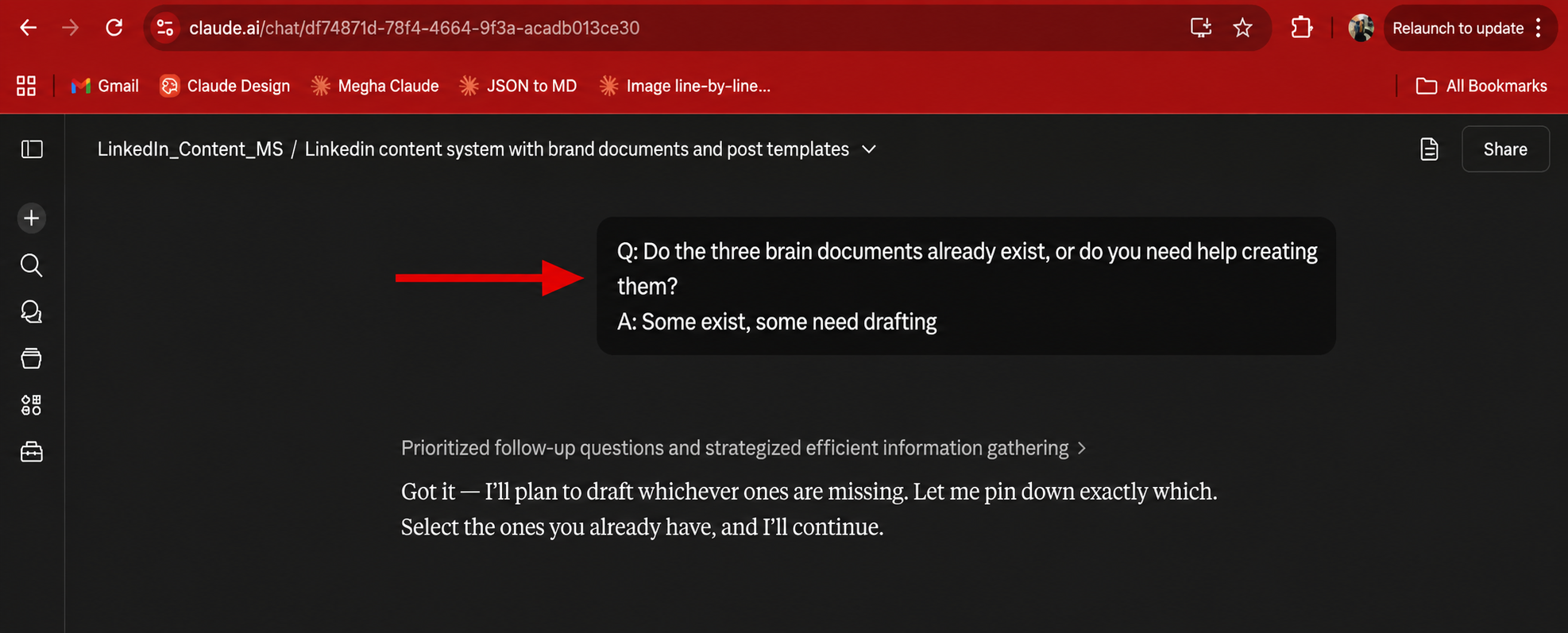
What I loved is that it asked one question at a time instead of dumping a form on me.
- How many skills did I want?
- Who should design the post templates?

- Did my brand documents already exist?
- Where would I run this thing?
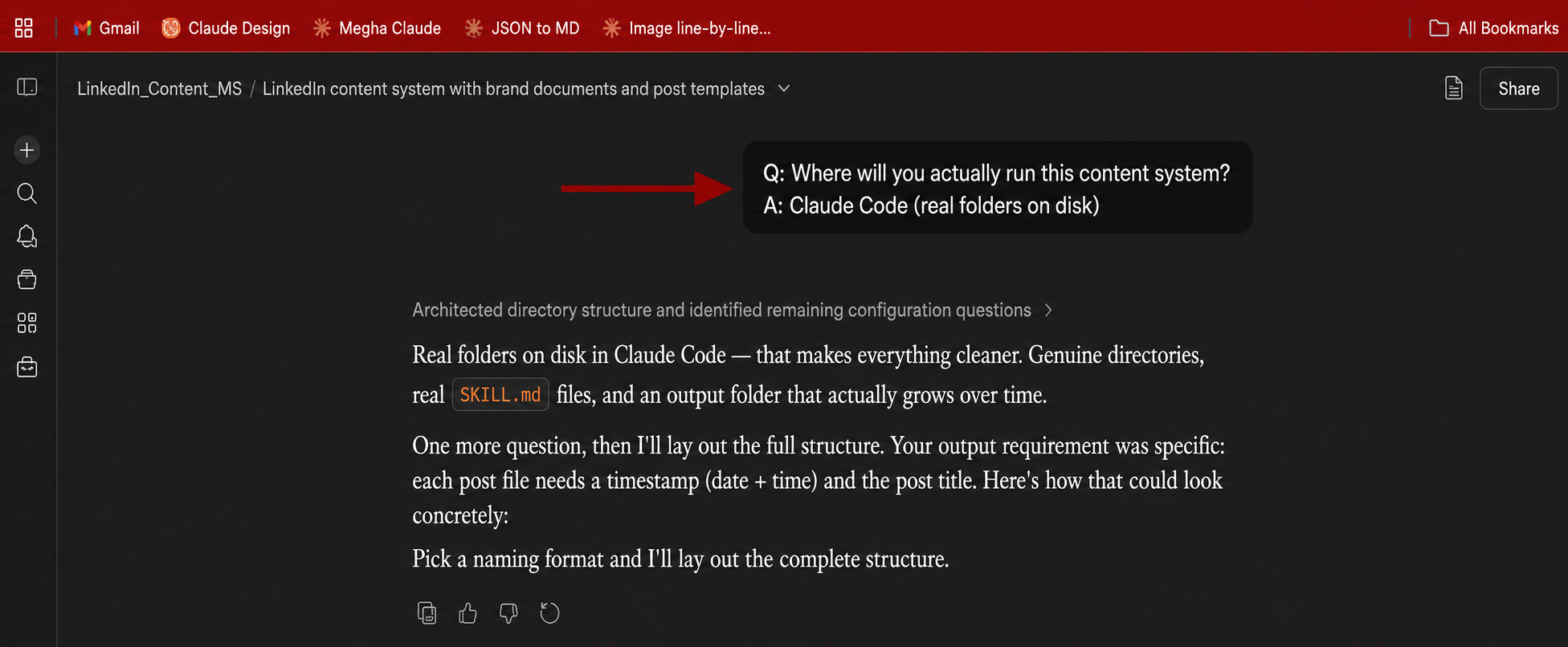
Each answer sharpened the next. By the end, I had a blueprint I genuinely believed in, not a recycled template. This is the step almost everyone skips, and it is the exact reason most content systems feel hollow.
Step 2: The three folders, decided
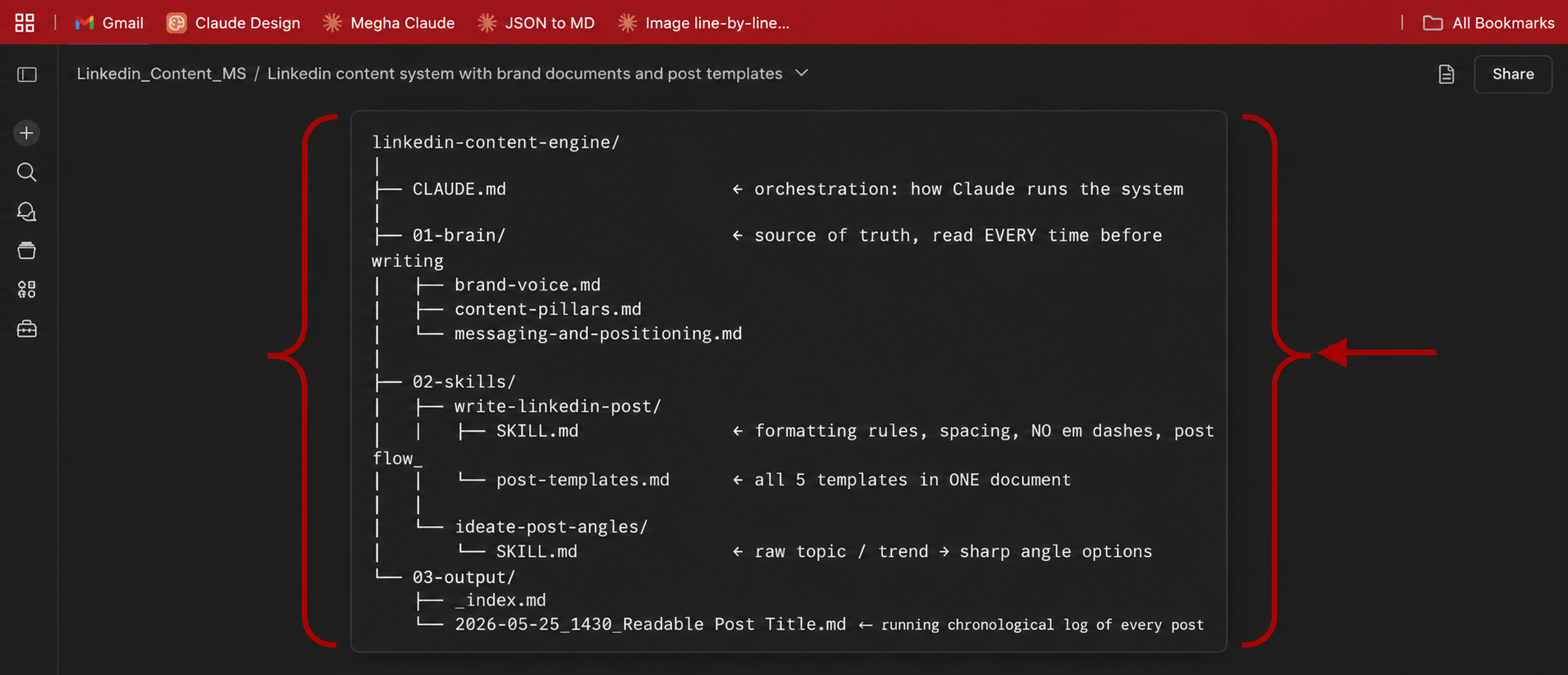
We landed on a clean structure. Three folders, zero clutter.
→ 01-brain holds my content pillars, my messaging and positioning (the spine of any GTM message), my brand voice, and a library of 100 proven hooks.
→ 02-skills holds two skills. One ideates sharp post angles. One writes the finished post.
→ 03-output stores every generated post, timestamped and titled, in chronological order.
Claude built every file, ran a cross-check on the whole thing, and handed me a zip. Clean, slightly boring, and exactly how a real system should feel.
Step 3: Setting up Claude Code and VS Code
Now the fun part. Moving from a chat into Claude Code, the terminal version of Claude that can read and write real files on your machine.
You need two things installed first.
→ Visual studio Code (aka VS code), the free code editor. Download it from code.visualstudio.com and install it like any normal app.
→ Claude Code itself. On Mac or Linux, run curl -fsSL https://claude.ai/install.sh | bash in your terminal. On Windows, use the PowerShell installer from the official docs. One honest note, you need a paid Claude plan, Pro or Max, since the free plan does not include Claude Code.
Then open VS Code, open its built-in terminal, and type claude. It opens your browser once to log you in. Run claude doctor to confirm every check comes back green.
Step 4: Unzip, open, and a test run
Here is where it all comes together.
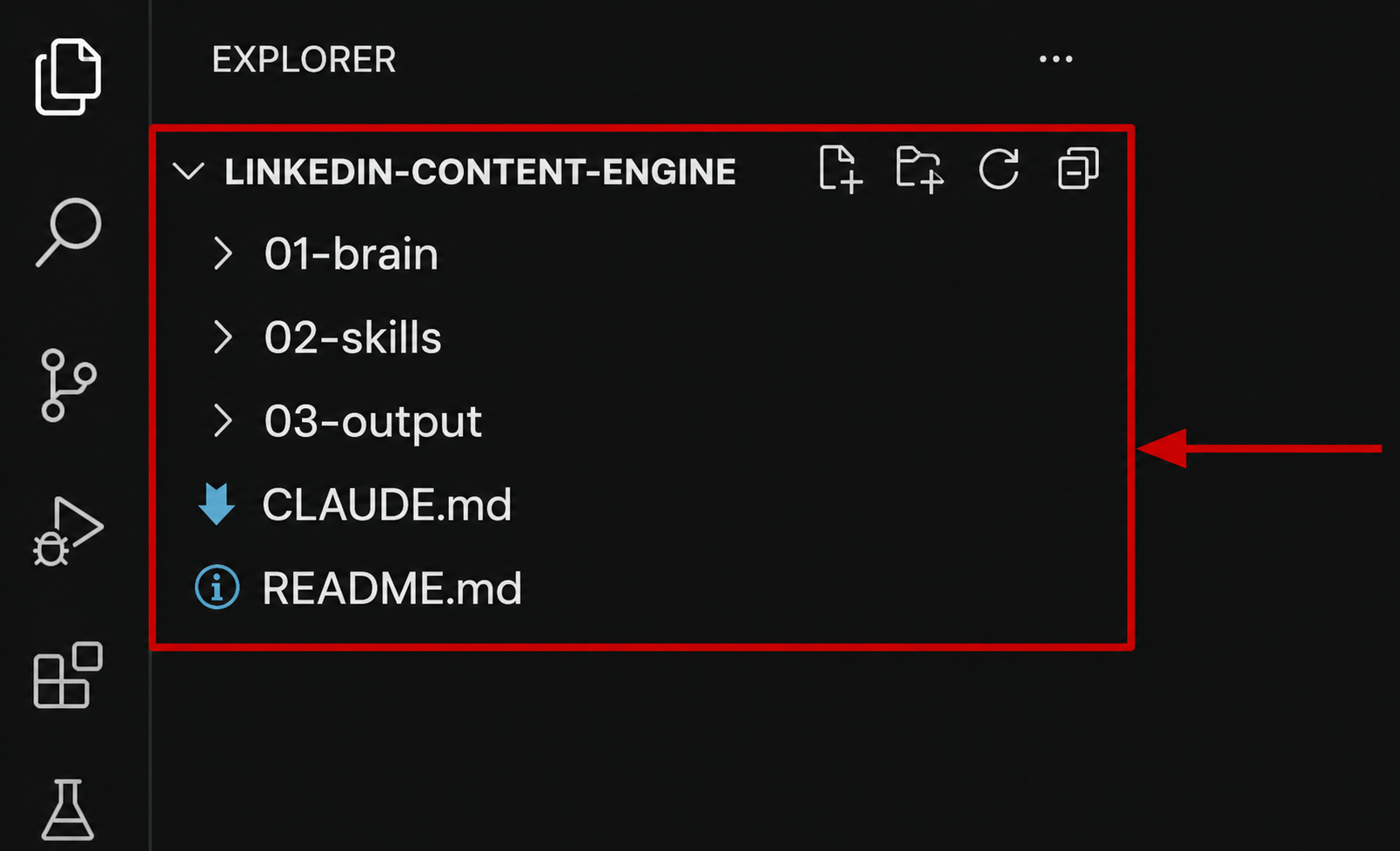
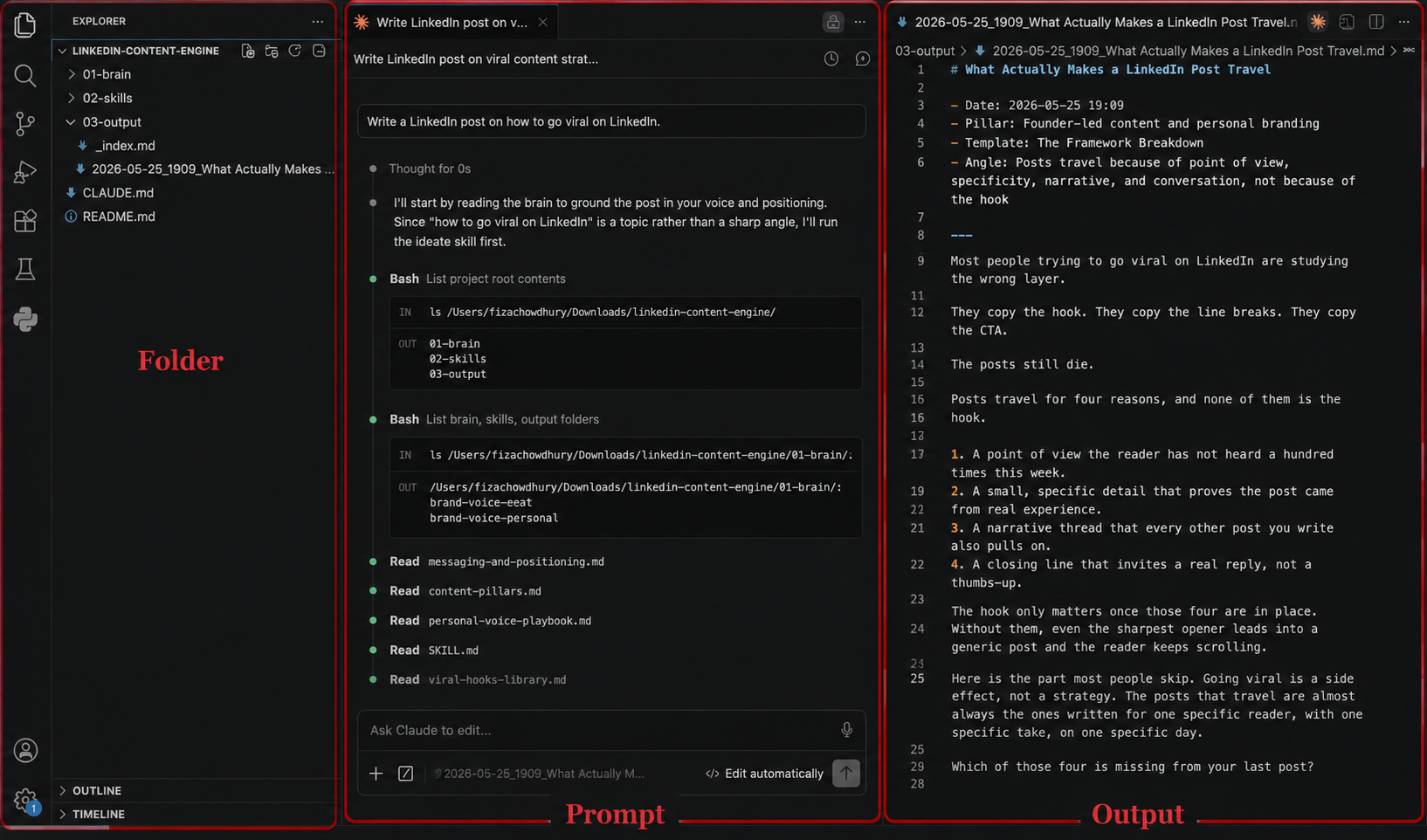
- I took the zip Claude gave me and unzipped it into a folder on my laptop. Then I opened that folder in VS Code. The entire engine appeared in the sidebar. Brain, skills, output, all of it sitting there.
- Then the test run. In the terminal, with Claude running, I typed a single line. "Write a LinkedIn post on how to go viral on LinkedIn." Claude read the brain folder first, picked the right template, wrote the post on a hook, body, re-hook, and CTA structure, and saved it.
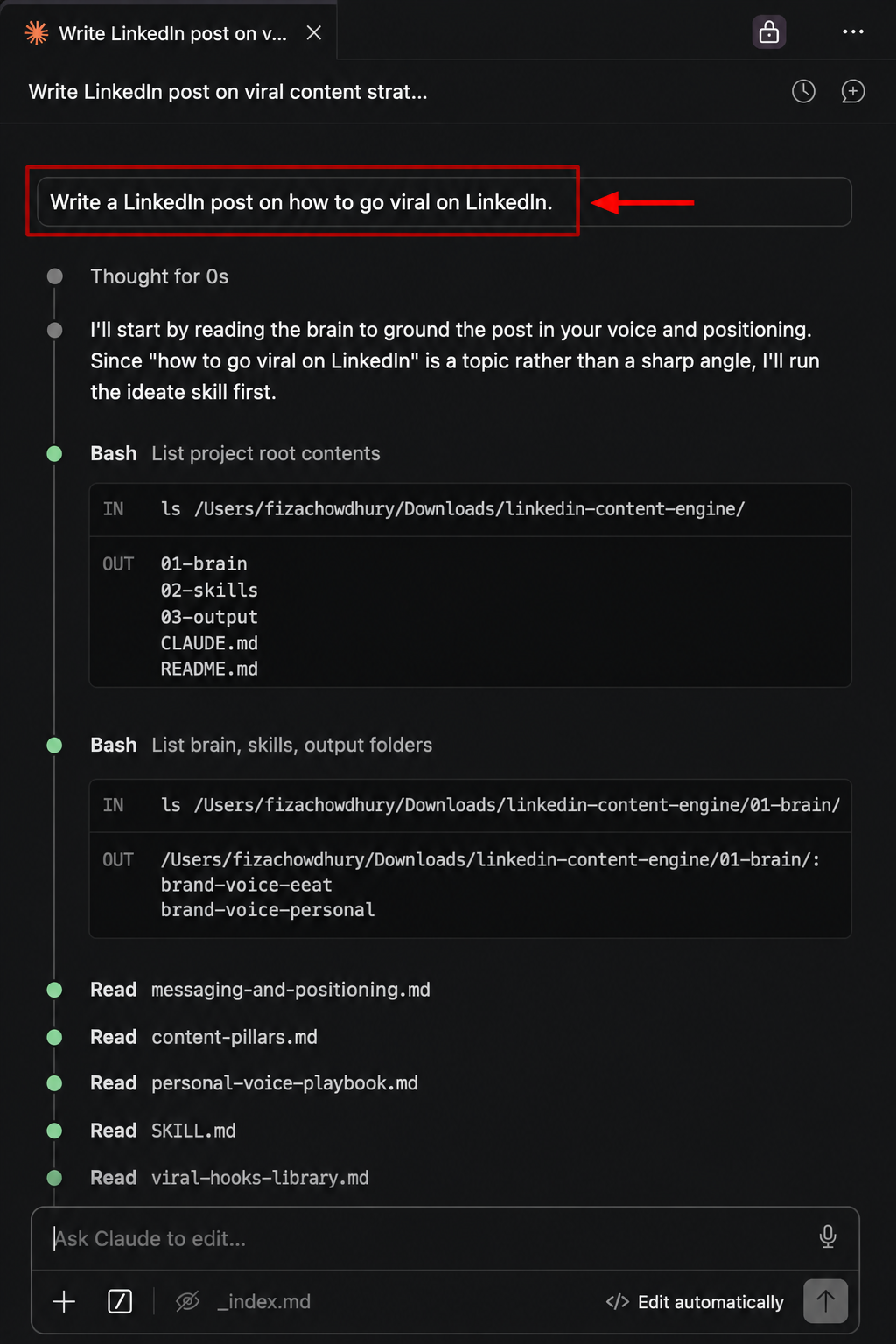
- A few seconds later, a new file appeared inside 03-output, named with the date, the time, and the post title. The output was saved, logged in the index, and ready to publish.

The first run worked. The engine was alive.
Your move
Here is the honest truth. The hardest part of LinkedIn was never the writing. It was the deciding. A content engine removes the deciding, so all that is left is the publishing.
You do not need to be technical for this. You need a clear point of view, a free afternoon, and a willingness to let Claude interview you properly before a single file gets built.
Build your brain folder. Define your two skills. Run your first post.