
ABM is all over the place. However, ask 3 people at any B2B company what ABM actually means, and you'll get 3 different answers, plus a fourth one from whoever just finished a webinar on it yesterday.
On top of that, the execution side isn't in better shape either.
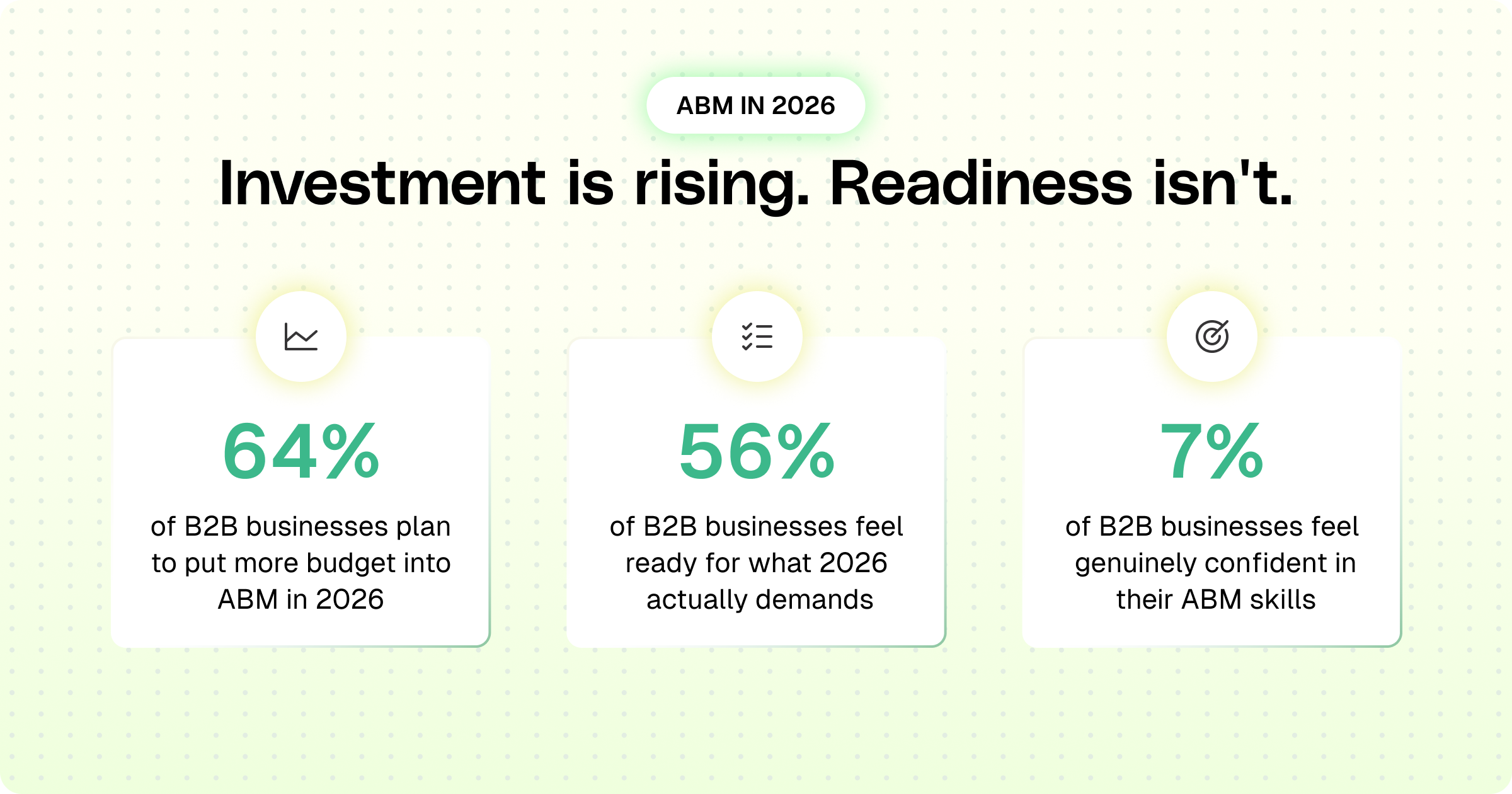
Different rooms, same mess. One is people arguing over what the word means. The other is people admitting they don't feel equipped to do it well. Both point to the same thing: ABM got popular faster than it got understood.
And this particular gap exists because ABM got stretched past its original shape.
- It started clean: Sales picking a shortlist of accounts and working them properly. Marketing joined in later, and that pairing genuinely worked.
- Then GTM Engineering entered, integrated 10 new tools, and now ABM gets credit for anything with the word "account" in the sentence. One personalized landing page? ABM. A single LinkedIn ad on a target list? Also apparently ABM.
You need to understand.
ABM was never a standalone strategy. It's one motion inside Demand Generation, and Demand Gen has one job: build awareness of a problem, generate interest in your solution, and convert that interest into pipeline sales that can actually work. It runs on channels like organic content, paid advertising, outbound outreach, events, and account-based plays.
Quick note: if "what ABM actually is" still feels underdefined, read this blog post: What is ABM and Buying Signals guide, it covers that properly.
Now what follows is the actual machinery: the tiers, the tools, the loop that turns a signal into a booked meeting without/minimal human intervention.
So, let's get into the ABM workflow.
Account-Based Marketing Workflow 2026 Breakdown
Here's a complete dissection of the account-based marketing workflow for 2026, so you can gain the confidence to implement it without any confusion.
Quick heads-up: We're walking through every phase of the ABM workflow first, then getting into exactly which tools handle each one.
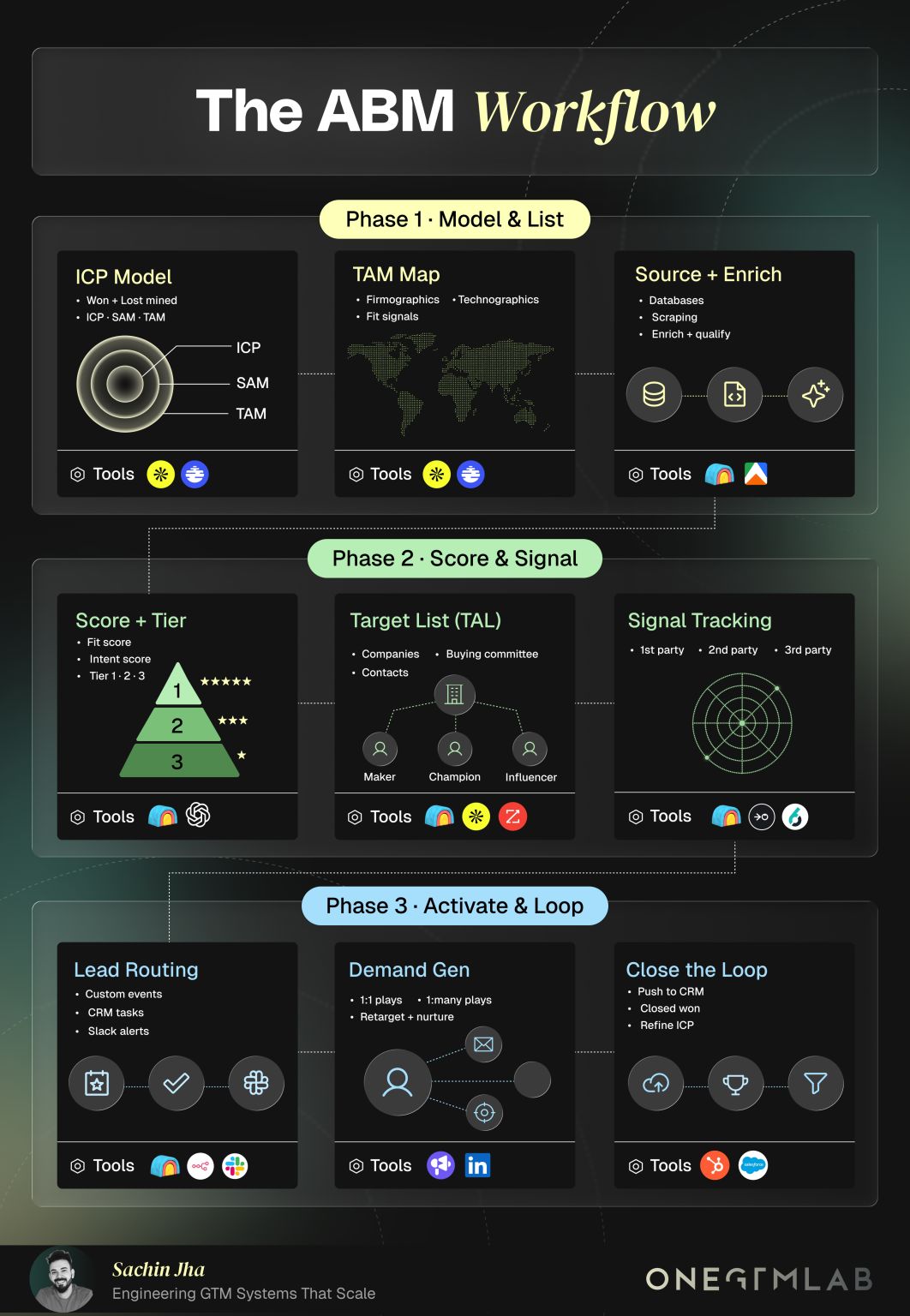
Phase 1 · Model & List — The "Who Are We Even Targeting" Phase
Before you send a single email or run a single ad, you need to answer one question: who exactly are we trying to sell to? That's the entire job of Phase 1.
It has three steps, and each one narrows the target down further than the last.
Step 1: ICP Model (defining your ideal customer)
ICP stands for Ideal Customer Profile. It's the description of the "perfect" company that would buy from you, based on real evidence, not guesswork.
How do you build one?
You look at every customer you've closed and every deal you've lost, and you find the patterns: what industry, what company size, what tech stack, what job title kept showing up in the wins, and what showed up in the losses. That pattern becomes your ICP.
Tools that you should use
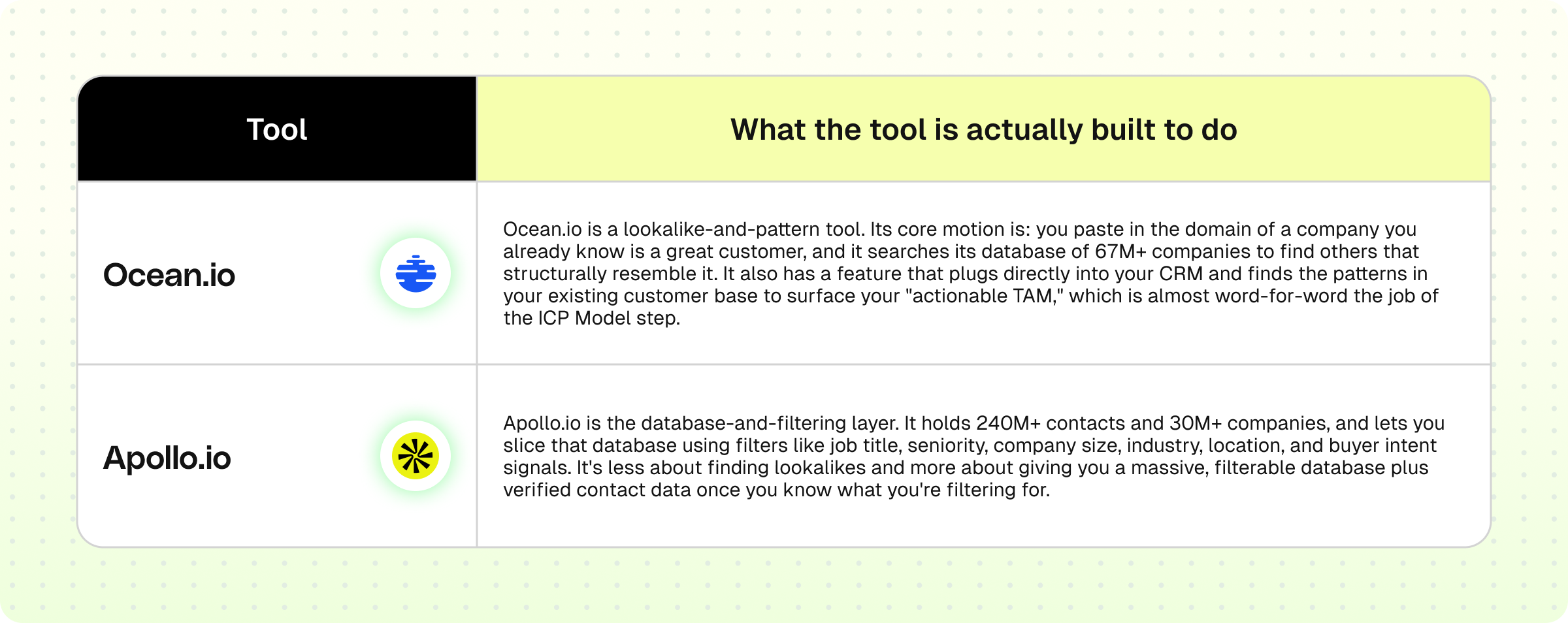
How they automate Step 1 together
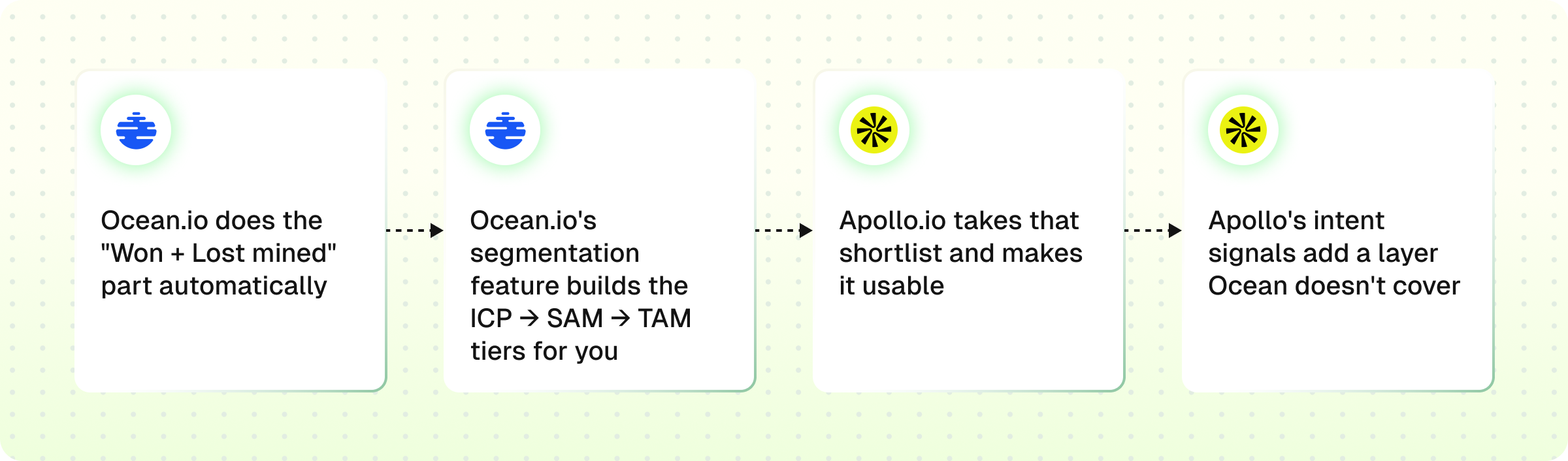
1. Ocean.io does the "Won + Lost mined" part automatically.
Instead of you manually eyeballing your closed-won list and guessing "okay, mid-market fintech companies with 50-200 employees seem to convert," you feed Ocean.io a handful of your best customer domains, and it runs the pattern-matching for you. This replaces manual deal-mining with an automated lookalike search.
2. Ocean.io's segmentation feature builds the ICP → SAM → TAM tiers for you.
Since it's explicitly built for "segmentation for TAM mapping," it takes the lookalike output and buckets it, so you get something close to the concentric ICP/SAM/TAM circles.
3. Apollo.io takes that shortlist and makes it usable.
Once Ocean.io tells you which kinds of companies fit, Apollo.io lets you pull the actual, full list of matching companies and contacts from its own database, filtered by the same firmographic criteria, and comes with verified emails and phone numbers attached. This is the difference between "here's the profile of who to target" (Ocean) and "here's the literal list of named accounts and contacts to target" (Apollo).
4. Apollo's intent signals add a layer Ocean doesn't cover.
Apollo's filtering includes buyer intent signals, so on top of firmographic fit, you can also filter for companies showing active buying behavior, tightening the ICP definition from "looks like our best customer" to "looks like our best customer and is currently in-market.
Step 2: TAM Map (figuring out where those companies live)
Once you know your ICP, you map out the actual universe of companies that fit it. This step gathers:
- Firmographics: hard facts about a company, industry, revenue, employee count, location
- Technographics: what software/tech stack a company already uses
- Fit signals: any other data point suggesting a company matches your ICP
Tools that you should use
You can use Apollo.io and Ocean.io for this step as well.
How they automate Step 2 together
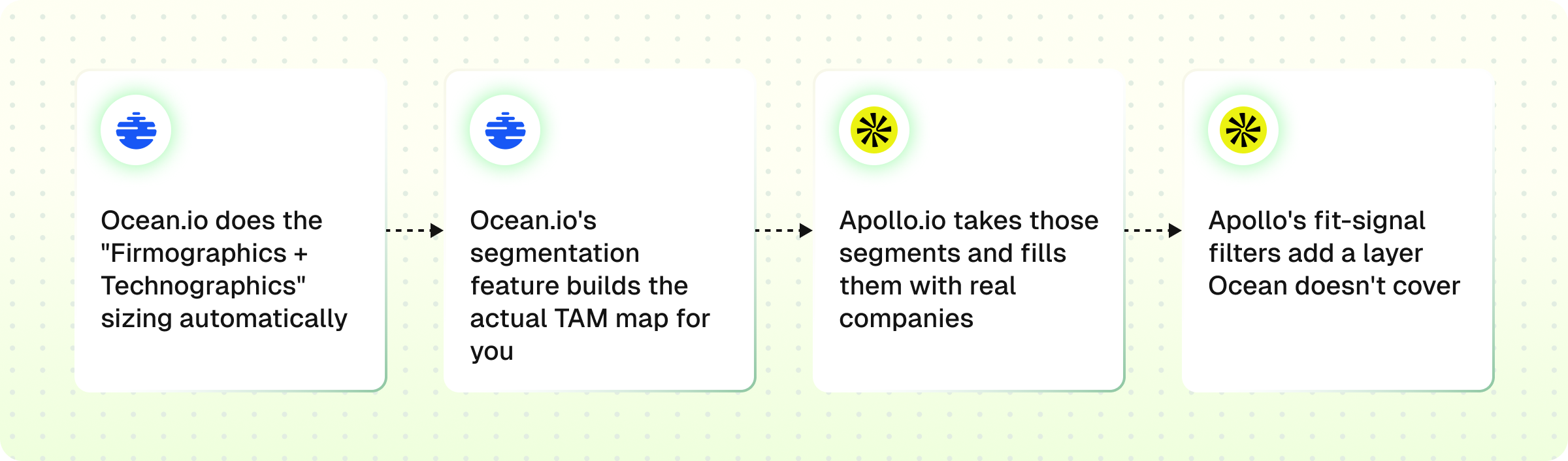
1. Ocean.io does the "Firmographics + Technographics" sizing automatically. Instead of you manually researching which industries, company sizes, and tech stacks make up your addressable market, you run your ICP pattern through Ocean.io, and it scans its 67M+ company database to size and segment the full market. This replaces manual market-sizing with automated TAM segmentation.
2. Ocean.io's segmentation feature builds the actual TAM map for you. Since it's explicitly built for "segmentation for TAM mapping," it takes your ICP definition and breaks the market into scored segments.
3. Apollo.io takes those segments and fills them with real companies. Once Ocean.io tells you which segments exist and how big they are, Apollo.io lets you pull the actual, full list of companies and contacts inside each segment from its own database, filtered by the same firmographic and technographic criteria. This is the difference between "here's how the market breaks down" (Ocean) and "here's the literal list of named companies sitting inside each piece of that breakdown" (Apollo).
3. Apollo's fit-signal filters add a layer Ocean doesn't cover. Apollo's filtering includes tech-stack detection and buyer intent, so on top of firmographic segmentation, you can filter for companies whose technographic profile or current buying behavior actually matches your ICP, tightening the TAM from "theoretically addressable" to "genuinely reachable" right now.
Step 3: Source + Enrich (building the actual list)
Now you turn that map into a real, usable list of companies and contacts. Three things happen here:
- Databases: pulling company/contact records from data providers
- Scraping: pulling data directly off the web (LinkedIn, company sites, job boards) where a database doesn't already have it
- Enrich + qualify: filling in missing details (email, funding, headcount) and checking whether each record actually fits the ICP before it earns a spot on your list
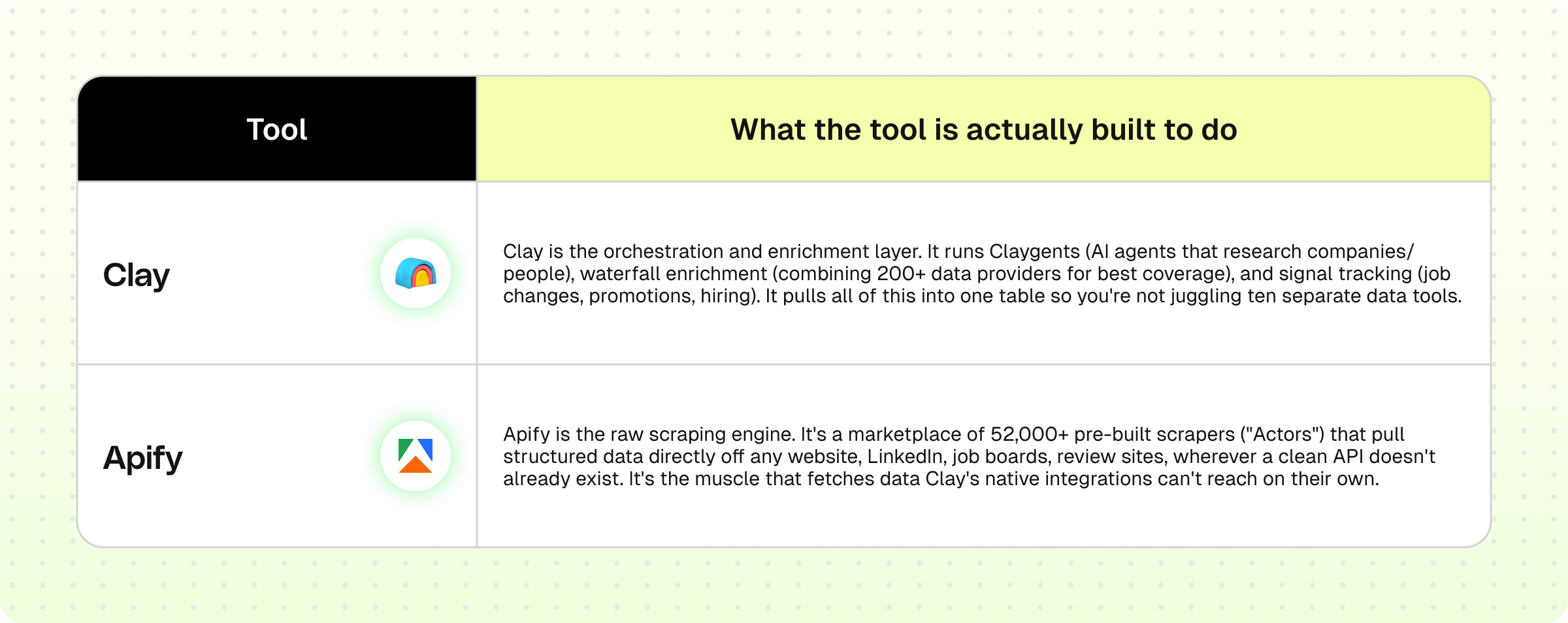
Tools that you should use
How they automate Step 3 together
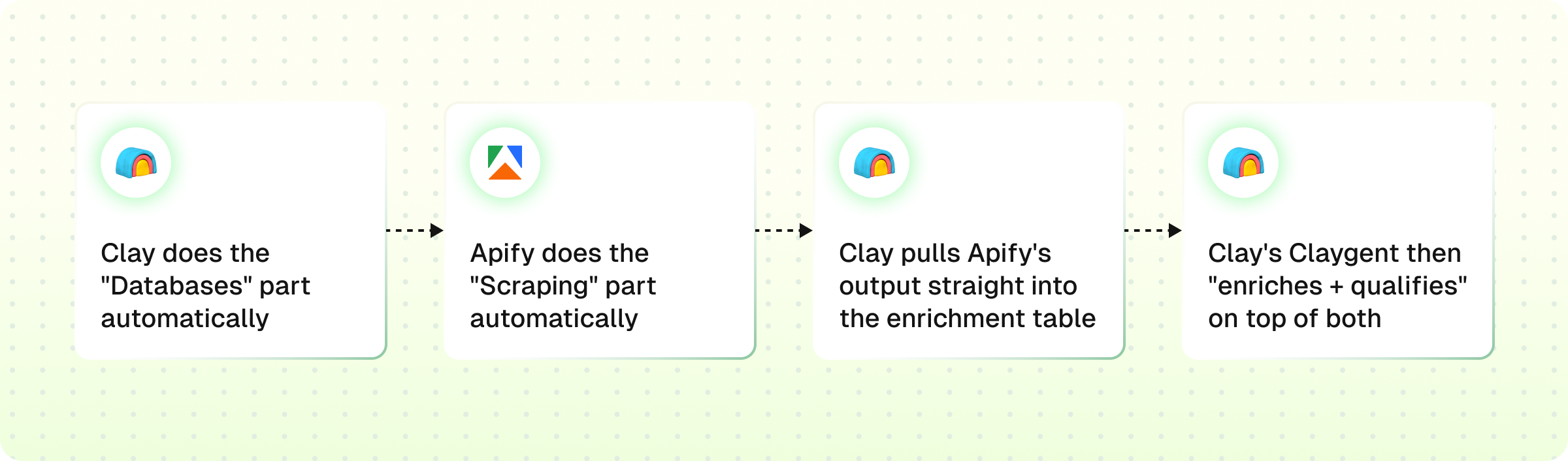
1. :Clay does the "Databases" part automatically. Instead of you manually checking ten different data providers for each company, Clay's waterfall enrichment queries 200+ providers in sequence and returns the best available result, so one query in Clay replaces ten manual lookups.
2. Apify does the "Scraping" part automatically. For anything not sitting in a standard database, job postings, LinkedIn activity, review sites, Apify runs a pre-built scraper (an "Actor") against the live web and returns structured data, replacing manual copy-pasting from browser tabs.
3. Clay pulls Apify's output straight into the enrichment table. Since Apify connects natively into Clay's workflow, scraped data doesn't sit in a separate spreadsheet, it flows directly into the same table as the database enrichment, so both sources merge into one clean record per company.
4. Clay's Claygent then "enriches + qualifies" on top of both. Once the raw data (database + scraped) is sitting in the table, Claygent acts as the AI research layer, answering specific qualifying questions ("is this company hiring a VP of Sales?", "did they raise funding?") that neither a static database nor a plain scrape can answer on its own.
Phase 2 · Score & Signal — The "Who Matters And When" phase
Phase 1 gave you a clean, enriched list of companies and contacts. Phase 2 answers two different questions: which of these accounts actually deserve attention first, and when is the right moment to reach out to them. It has three steps, and each one adds a layer of prioritization on top of the last.
Step 1: Score + Tier (ranking who matters most)
Every account gets two scores: a fit score (how well they match your ICP) and an intent score (how likely they are to buy right now). Combined, these sort accounts into Tier 1, 2, or 3.
Tier 1 gets your best reps and fastest follow-up. Tier 3 sits in a slower nurture track.
Tools that you should use
You can use Clay and ChatGPT for this step.
How they automate Step 1 together
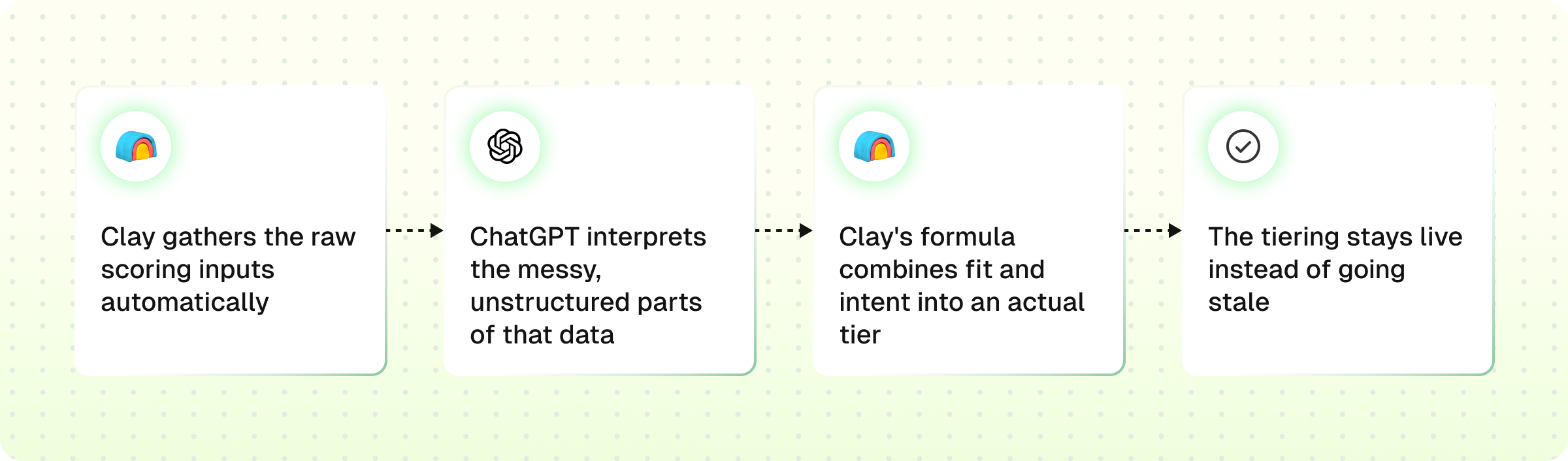
1. Clay gathers the raw scoring inputs automatically. Instead of a person manually researching funding stage, headcount, and tech stack for every account on the list, Claygent goes and finds this data across its provider network, so the inputs exist without manual digging.
2. ChatGPT interprets the messy, unstructured parts of that data. Wherever the input isn't a clean number, a press release, a bio, a job post, ChatGPT reads it and converts it into a structured signal Clay's formula can actually work with, closing the gap between "we have a lot of text" and "we have a usable data point."
3. Clay's formula combines fit and intent into an actual tier. Once both the structured and the ChatGPT-interpreted inputs are sitting in the table, Clay's scoring formula runs the combination and assigns each account a Tier 1, 2, or 3 label automatically, no manual review meeting required.
4. The tiering stays live instead of going stale. Because Claygent keeps refreshing the underlying data, an account's tier updates as new signals come in, a funding round, a hiring spike, rather than being frozen at whatever it looked like during a one-time scoring pass.
Step 2: Target List aka TAL (mapping the buying committee)
A tiered company isn't a target yet, you need actual people. This step breaks each account down into its buying committee:
- Maker: the final decision-maker who signs off
- Champion: your internal advocate pushing the deal forward
- Influencer: shapes the decision but doesn't have final sign-off
Tools that you should use
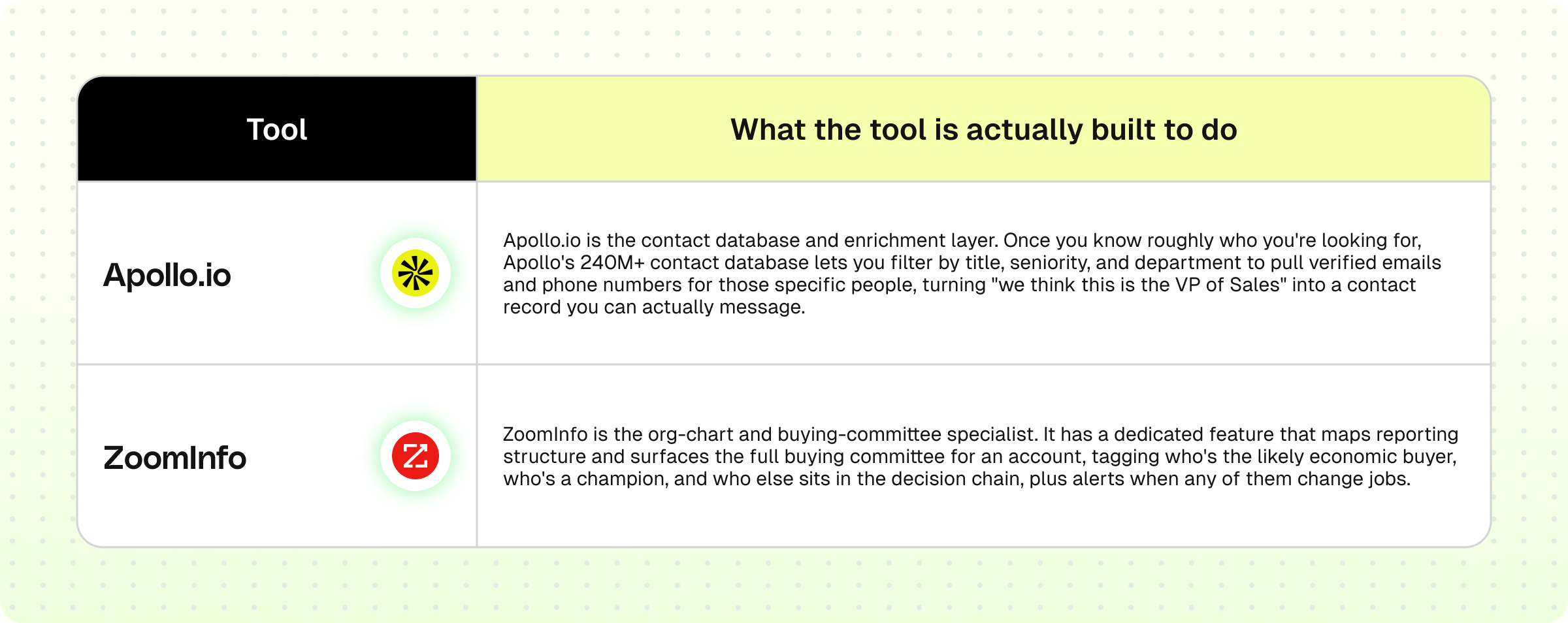
You can use Clay, Apollo.io, and ZoomInfo.
How they automate Step 2 together
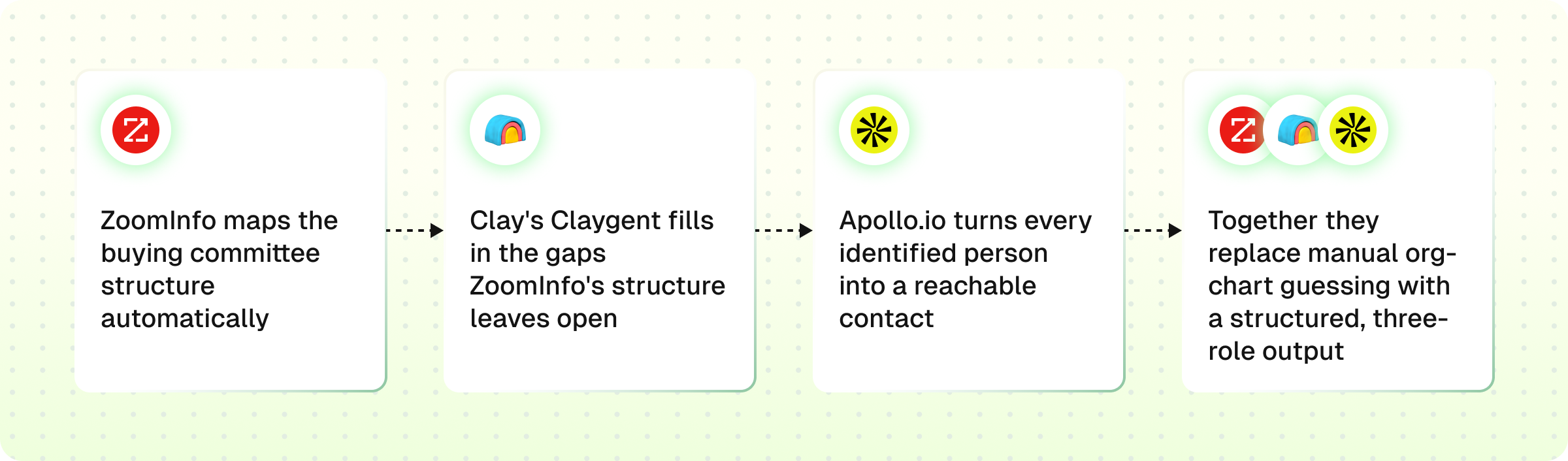
1. ZoomInfo maps the buying committee structure automatically. Instead of manually guessing who the Maker, Champion, and Influencer are at each account, ZoomInfo's org chart feature surfaces the reporting hierarchy and flags the likely candidates for each role.
2. Clay's Claygent fills in the gaps ZoomInfo's structure leaves open. Where ZoomInfo gives you the shape of the committee, Claygent does the deeper, account-specific research, confirming a person's current relevance, recent activity, or fit for the role, before they earn a spot on the final list.
3. Apollo.io turns every identified person into a reachable contact. Once the roles and names are confirmed, Apollo pulls verified emails and phone numbers for each one, so the list isn't just names and titles, it's something a sequence tool can actually send to.
4. Together they replace manual org-chart guessing with a structured, three-role output. ZoomInfo gives the map, Claygent verifies the fit, Apollo gives the contact details, no rep spends an afternoon reconstructing a company's reporting structure from LinkedIn.
Step 3: Signal Tracking (knowing when to strike)
Even a perfectly scored, role-mapped account is useless if you reach out at the wrong moment. This step tracks three tiers of signals:
- 1st-party: activity on your own website or product (pricing page visits, sign-ups)
- 2nd-party: data from partners or review sites (G2 comparisons, referrals)
- 3rd-party: external market or social activity (funding news, hiring surges, LinkedIn engagement)
Tools that you should use
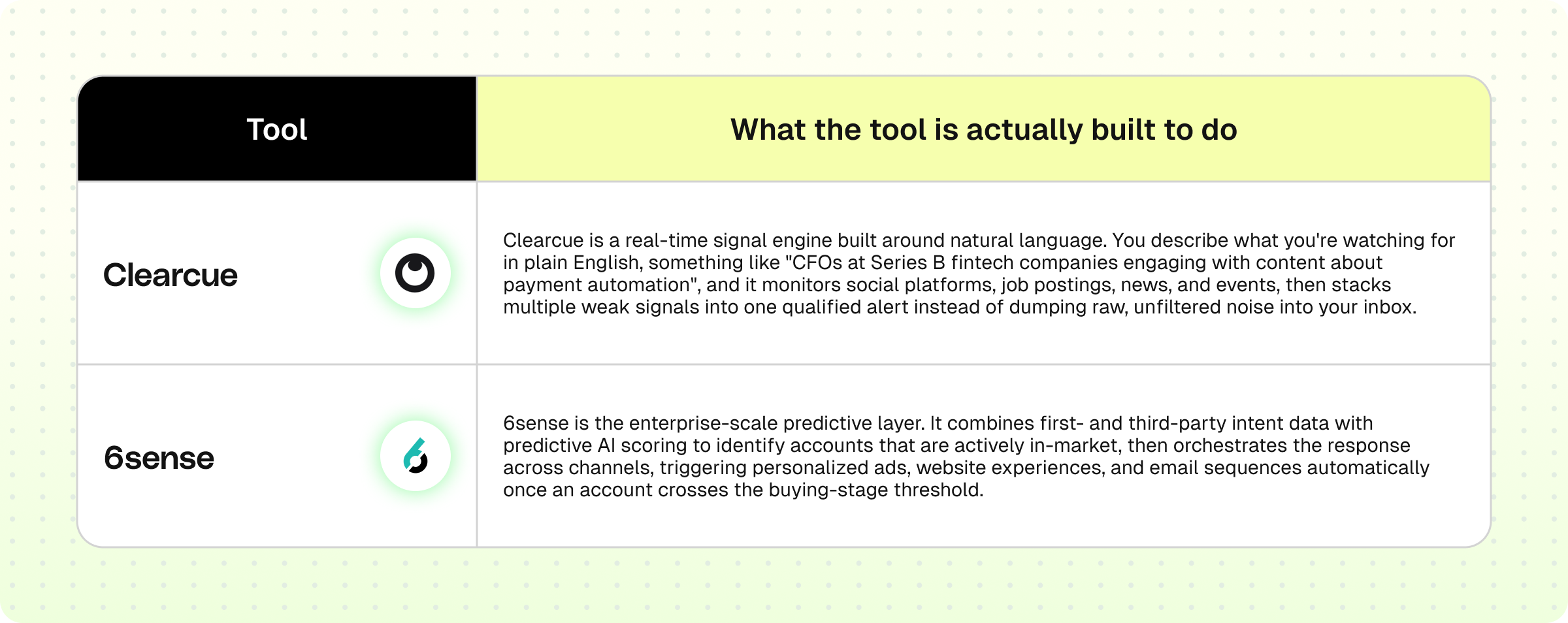
You can use Clay, Clearcue, and 6sense.
How they automate Step 3 together
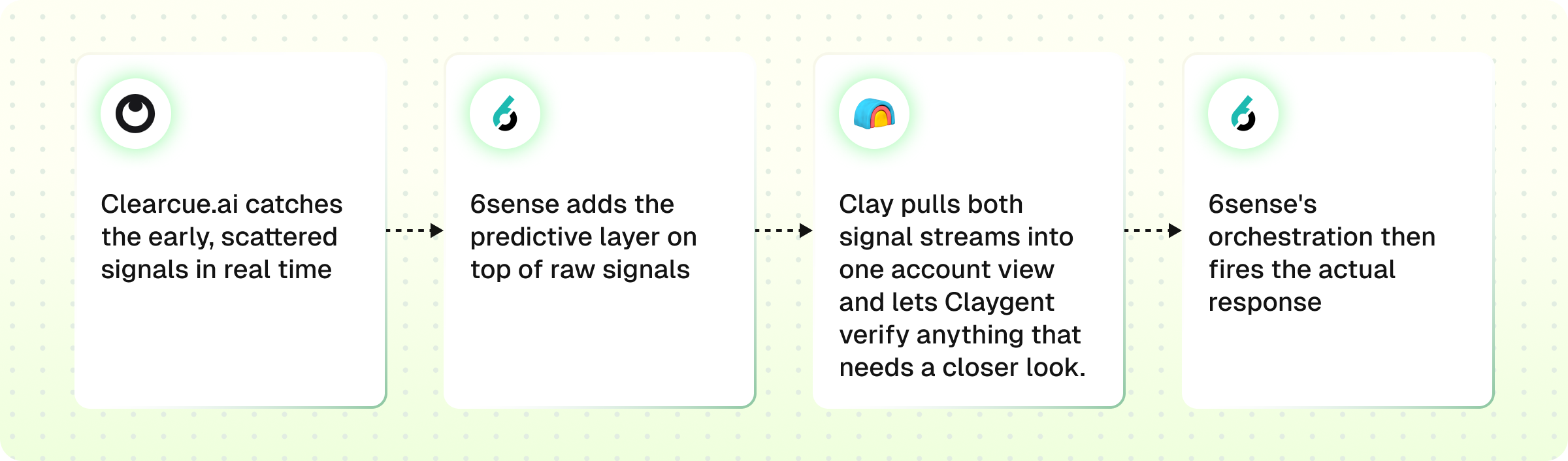
1. Clearcue.ai catches the early, scattered signals in real time. Instead of a rep manually checking LinkedIn or job boards every morning, Clearcue watches social platforms, hiring activity, and events continuously, and stacks multiple weak signals (a job post plus a competitor engagement plus event attendance) into one qualified trigger.
2. 6sense adds the predictive layer on top of raw signals. Where Clearcue tells you "something is happening," 6sense's AI scores how far along an account is in its buying journey and predicts which accounts are worth acting on now versus later, using both intent data and technographic/firmographic fit.
3. Clay pulls both signal streams into one account view and lets Claygent verify anything that needs a closer look. Rather than checking two separate dashboards, every signal from Clearcue and 6sense lands in the same table, and Claygent can do a quick confirmation pass (e.g., verifying a funding rumor) before it triggers outreach.
4. 6sense's orchestration then fires the actual response. Once an account is confirmed in-market, 6sense automatically activates the next action, a targeted ad, a personalized email sequence, an alert to the rep, so signal detection and response happen in the same system instead of a human bridging the gap manually.
Phase 3 · Activate & Loop — The "Do Something About It" phase
Phases 1 and 2 built the list and figured out who matters most and when. Phase 3 is where that intelligence actually turns into action, and where the results feed back into the system to make Phase 1 smarter next time. It has three steps.
Step 1: Lead Routing (getting the right lead to the right person, fast)
Once Phase 2 flags a hot account, that account needs to land in front of a human (or a workflow) immediately, not sit in a queue. This step handles that handoff:
- Custom events: triggers fired by specific actions (a signal crossing a threshold, a tier change)
- CRM tasks: auto-created follow-up tasks assigned to the right rep
- Slack alerts: real-time pings so a rep doesn't have to check a dashboard to know a hot lead just landed
Tools that you should use
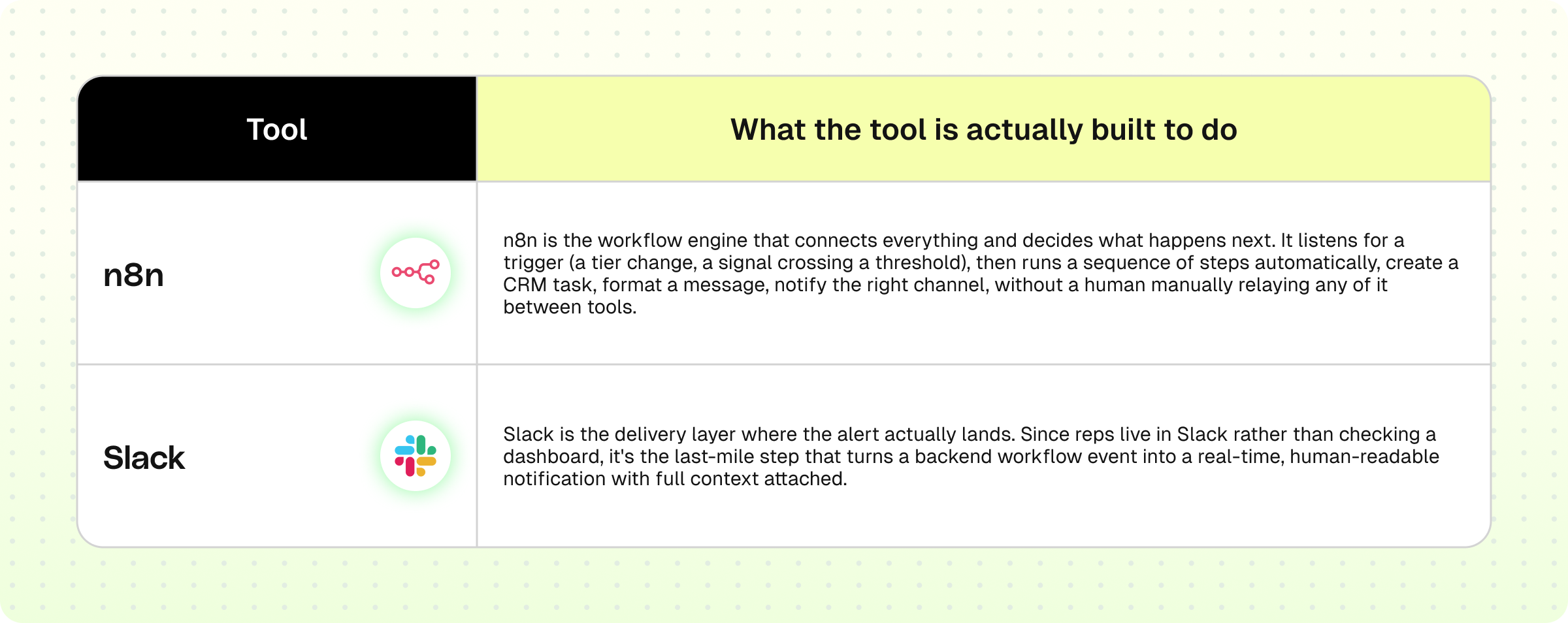
You can use Clay, n8n, and Slack.
How they automate Step 1 together
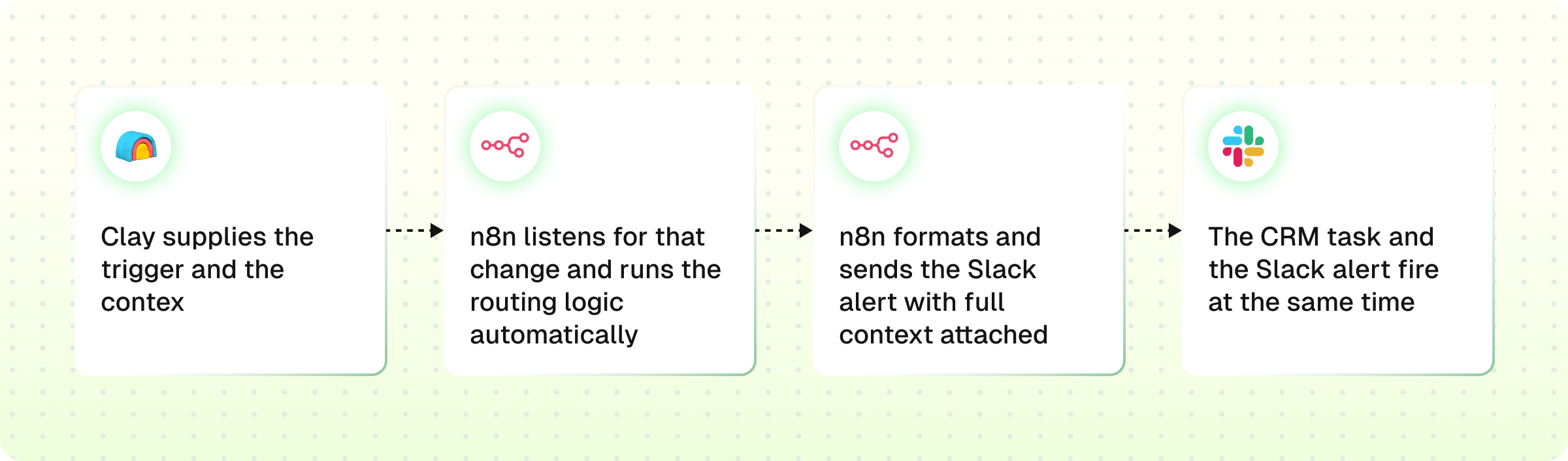
1. Clay supplies the trigger and the context. The moment an account's data changes in a way that matters, a tier upgrade, a new signal, a Claygent-confirmed detail, that update is sitting in Clay's table, ready to be picked up.
2. n8n listens for that change and runs the routing logic automatically. Instead of a person checking Clay's table for updates, n8n watches for the trigger, pulls the relevant account context, and decides the next steps, create a CRM task, assign it to the right rep, format an alert, all without manual intervention.
3. n8n formats and sends the Slack alert with full context attached. Rather than a bare "new lead" ping, the message includes exactly what made this account hot, tier, signal, contact details, so the rep can act immediately instead of going to look it up.
4. The CRM task and the Slack alert fire at the same time. n8n doesn't just notify, it simultaneously creates the CRM task tied to that alert, so the rep has both the heads-up and the actual to-do item waiting in the same moment, no separate manual step to log it.
Step 2: Demand Gen (engaging the account across channels)
With the lead routed, this step actually reaches the account. It splits into:
- 1:1 plays: personalized outreach to a single named account (usually your Tier 1s)
- 1:many plays: broader campaigns run across a segment or tier at once
- Retarget + nurture: keeping warm-but-not-ready accounts engaged (ads, email sequences) until they're ready to move
Tools that you should use
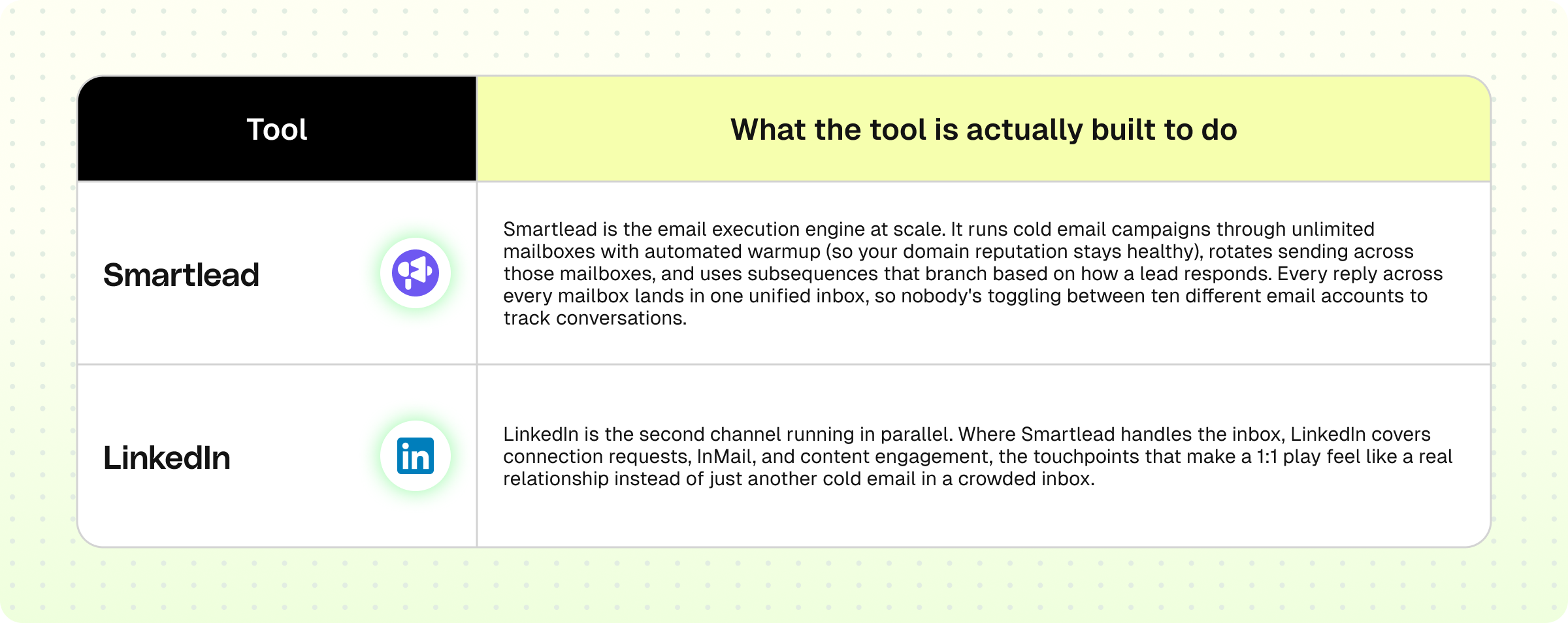
You can use Smartlead and LinkedIn.
How they automate Step 2 together
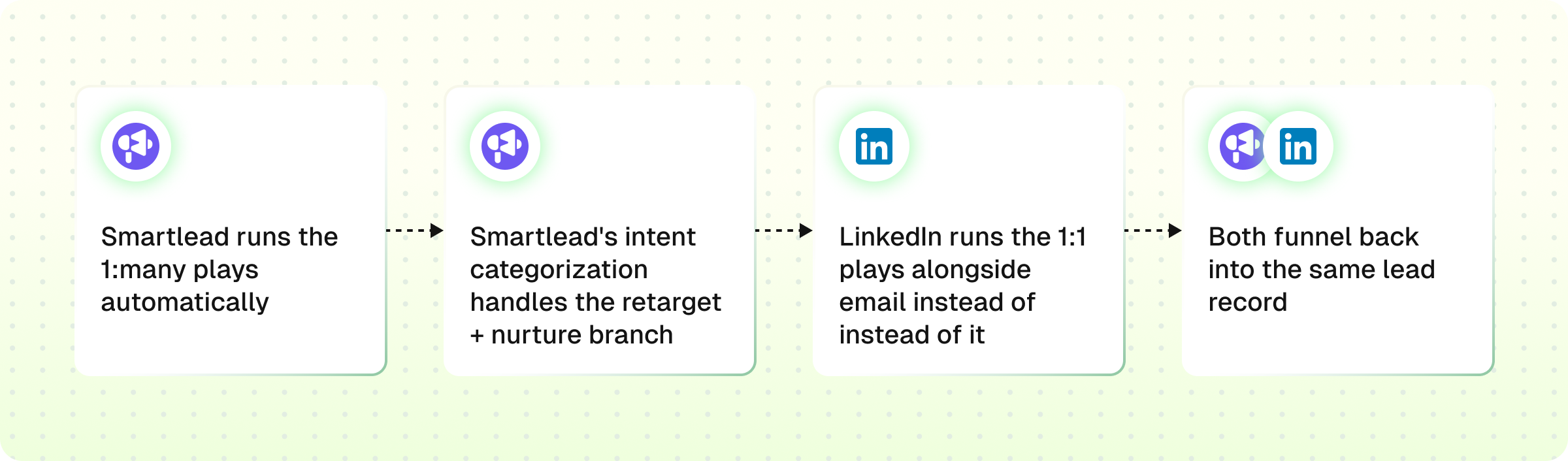
1. Smartlead runs the 1:many plays automatically. Once a tier or segment is defined upstream, Smartlead drip-feeds leads into a campaign, sending personalized sequences at scale without a rep manually sending each email one at a time.
2. Smartlead's intent categorization handles the retarget + nurture branch. Replies get automatically classified by intent, interested, not now, unsubscribe, and the subsequence logic routes each lead into the right follow-up track without a human sorting replies by hand.
3. LinkedIn runs the 1:1 plays alongside email instead of instead of it. For your highest-tier accounts, outreach isn't just an email landing in a crowded inbox, a connection request or comment on LinkedIn builds context in parallel, so the account sees you across two channels instead of one.
4. Both funnel back into the same lead record. Since Smartlead integrates with the CRM layer (HubSpot, Salesforce) already in the workflow, engagement from both channels rolls up into the same account view instead of email activity and LinkedIn activity living in two disconnected places.
Step 3: Close the Loop (feeding results back into the system)
This is what makes the whole workflow a loop instead of a straight line:
- Push to CRM: all activity and outcomes get logged centrally
- Closed won: successful deals get flagged
- Refine ICP: closed-won (and closed-lost) data feeds back into Phase 1's ICP model, so the next round of targeting is sharper than the last
Tools that you should use
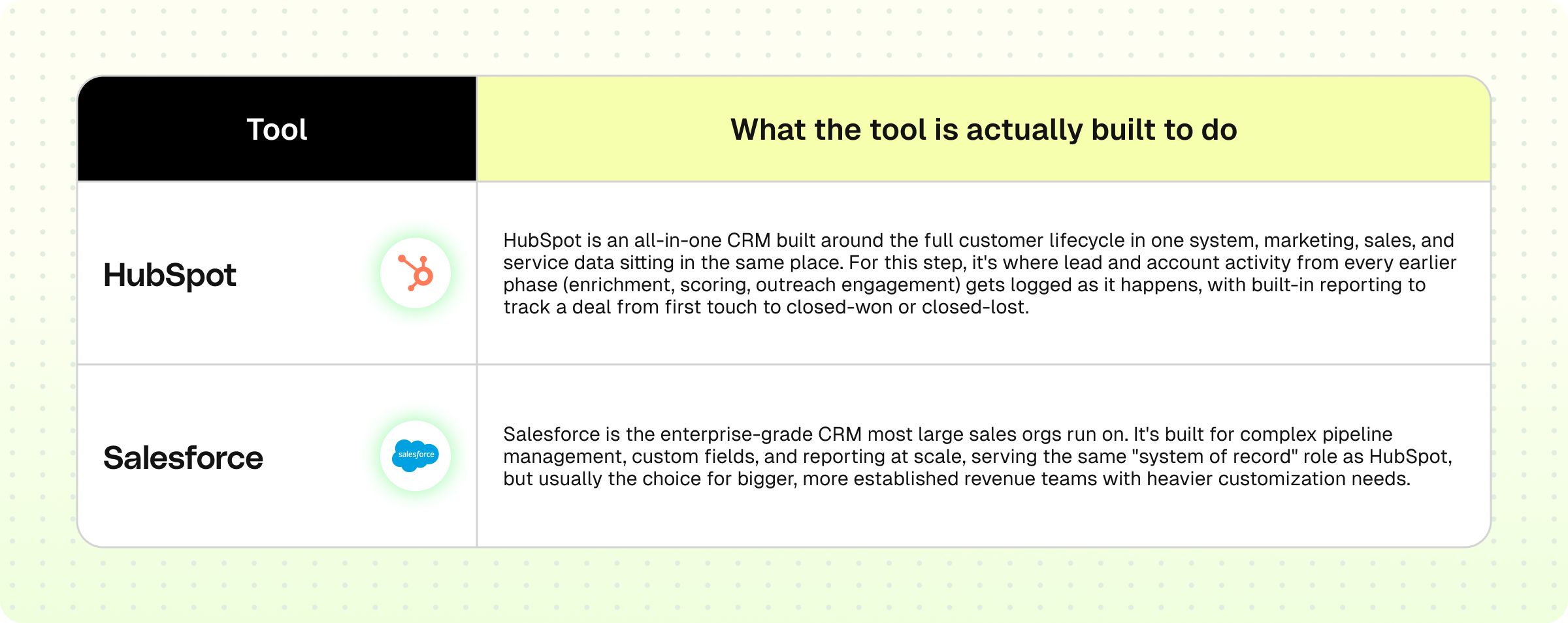
You can use HubSpot and Salesforce.
How they automate Step 3 together
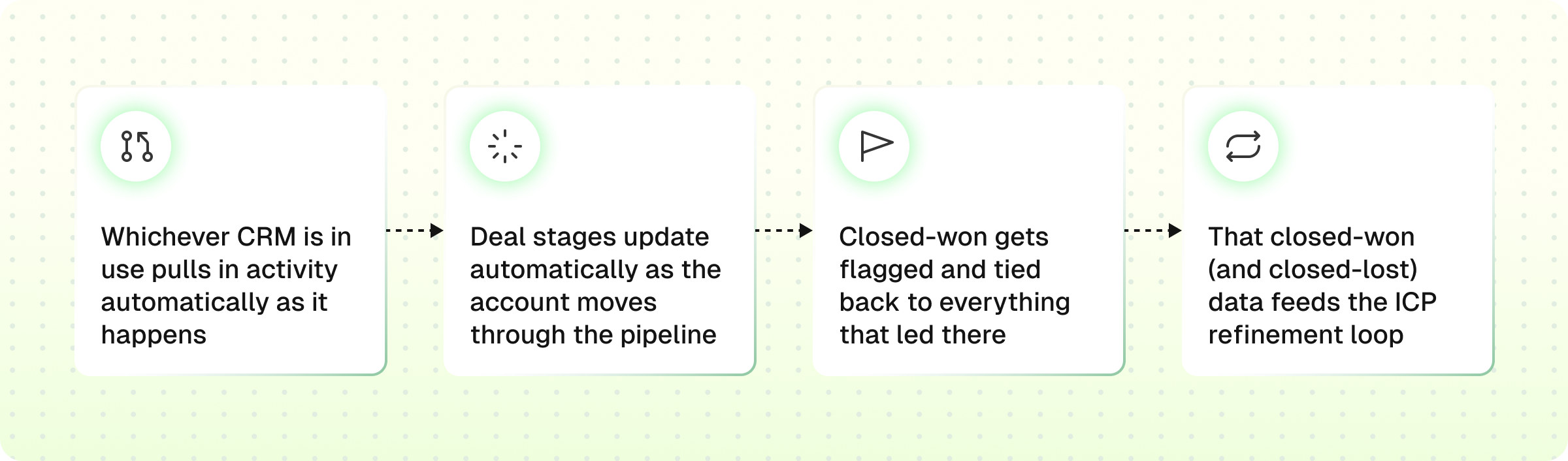
1. Whichever CRM is in use pulls in activity automatically as it happens. Instead of a rep manually logging every email, LinkedIn touch, and reply after the fact, the outreach tools from Step 2 (Smartlead, LinkedIn) push activity directly into HubSpot or Salesforce in real time, so the CRM record builds itself instead of depending on someone remembering to update it.
2. Deal stages update automatically as the account moves through the pipeline. Both CRMs support automated stage progression, an account replies, engages, or books a meeting, and it advances stage without a rep manually dragging a deal card across a board.
3. Closed-won gets flagged and tied back to everything that led there. Once a deal closes, the CRM record carries the full history attached to it, which tier the account started at, which signals triggered outreach, which channel converted, so the win isn't just a number, it's a traceable path.
4. That closed-won (and closed-lost) data feeds the ICP refinement loop. This is the step that closes the entire workflow: the CRM's outcome data becomes the new "Won + Lost mined" input for Phase 1's ICP Model, so the next targeting round is built on real results instead of the same assumptions as last time.
Alright, we've finally reached the end of the workflow, congrats on making it through 3 phases, nine steps, and 13 tools.
That's the entire ABM machine, laid out end to end. Reading about it is one thing, actually wiring all these tools together without breaking something is a whole different sport.
That's the part we ONEGTMLAB as a GTM agency manages. If you'd rather have us build this system than build it yourself at 1am, let's talk. Dropping the cal link here.